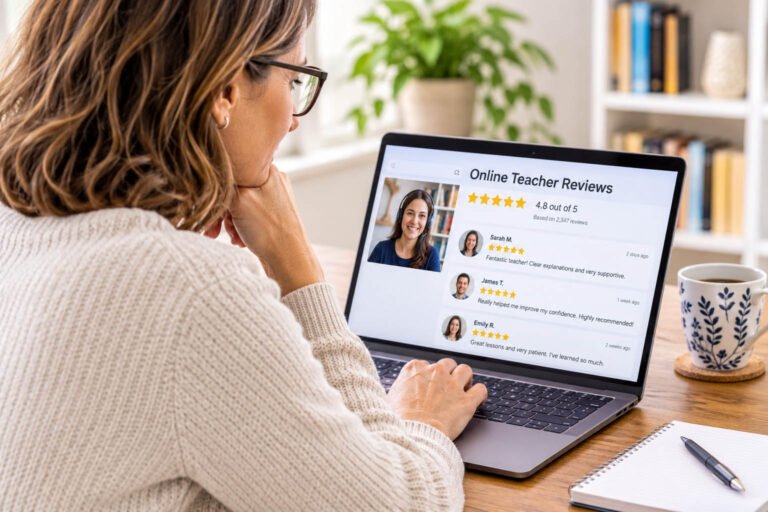
If you teach online, you already know the moment a new student decides to book is a leap of faith. They can’t pop into your classroom, sit in on a lesson or chat to you after class. What they can do is read what other students say about you.
That’s why reviews for online teachers carry so much weight. A handful of honest, specific comments from real students often does more to win an enquiry than a polished profile or a long list of qualifications.
Below we look at why reviews matter so much when you teach online, where to collect them, how Google reviews fit in, and how to ask your students in a way that is easy for them and stays within the rules.
Why reviews matter more for online teachers
In a local town, a tutor builds a reputation by word of mouth. Parents talk at the gym, colleagues recommend a language teacher over coffee. Online, your potential students may be in another city or another country, with no one nearby who has met you. Reviews are word of mouth for online teaching: they let past students vouch for you to people you will never meet in person.
They help in three practical ways:
- Trust. A new student is about to hand over money, time and sometimes their child’s learning to someone they only know through a screen. Seeing that others have done the same and been happy lowers that risk.
- Choosing between teachers. When someone is comparing several language tutors or yoga instructors with similar prices, reviews are often what tips the balance. Specific comments, such as ‘I finally felt confident speaking Spanish on video calls with clients’, say far more than a star rating alone.
- Being found. Where you are eligible for a Google Business Profile, reviews also feed into how visible you are in Google Search and Maps. More on that below.
Reviews also help you. Reading what students value, and what they found hard, is free feedback on your teaching, your materials and your booking process.
Where to collect reviews
You don’t need reviews in every possible place. Pick one or two that suit how you teach, and make it easy for students to find them.
Your own website
A simple feedback form on your website is the place every online teacher can start. Ask a few open questions, such as what the student wanted to achieve and how the lessons helped, and include a tick box asking permission to publish their words.
Then show the best of them on a testimonials page or beside your booking button. Credit each one the way the student agreed to, often a first name and initial with their subject or country. Never edit a testimonial in a way that changes what the student meant.
If you teach children, ask the parent for permission and leave out the child’s full name and photo. Rules on collecting and publishing personal details vary by country, so check your local data protection guidance.
Google Business Profile, if you are eligible
This is where many teachers get caught out. Google only allows a Business Profile for businesses that meet customers face to face, and its eligibility guidelines list online-only businesses as ineligible. Google’s help pages say that if customers can’t visit you and you don’t visit them, your business doesn’t qualify.
You may be eligible if you also teach in person, for example from a studio or home office where students come to you, by travelling to students’ homes, or by running local classes alongside your online lessons. If you teach only online, don’t create a profile anyway: Google can suspend profiles that break its rules.
Independent review sites
Some review sites accept online-only businesses, and they give students a place to leave feedback that you don’t control, which adds credibility. Read each site’s own rules before you start asking, as many also ban rewards for reviews.
Social media and professional networks
Recommendations on a business Facebook Page or LinkedIn can work well, especially if you teach adults, professionals or businesses. LinkedIn recommendations, for example, carry the writer’s name and job title, which reassures other professionals.
Kind words you already have
Many teachers have warm messages sitting in their inbox: a thank-you email after an exam result, a parent’s message after a good term. Ask the sender if you can quote them on your website. Most people are happy to say yes.
Get found first
Learners search our directory by subject. Make sure they can find you.
How Google reviews help your ranking
If you do qualify for a Google Business Profile, reviews are one of the few things that directly affect where you appear in local results on Google Search and Maps.
Google says local results are based on three things: relevance (how well your profile matches the search), distance (how far you are from the searcher) and prominence (how well known your business is). In its guide to local ranking, Google says prominence takes into account how many reviews you have, and that more reviews and positive ratings can help your local ranking.
Relevance
How well your profile matches the search
Distance
How far you are from the person searching
Prominence
How well known you are, including your reviews
The same page says replying to reviews shows you value feedback, and that positive reviews and helpful replies help a business stand out. Your star rating and review count also appear next to your name in results, so searchers see them before they even click.
Reviews are not the whole picture. A complete profile with accurate details, the right category, photos and your website link matters too, and distance is something you can’t change. But for a teacher with a studio or local classes, a steady flow of genuine reviews is one of the most useful things you can build over time.
How to ask your students for reviews
Most happy students are willing to leave a review. They simply don’t think of it, or put it off and forget. A clear, well-timed request solves both.
1. Pick a natural moment
Ask when the student has something to say: at the end of a course, after an exam result, when they reach a goal they set, or after a month or so of regular lessons. One lesson in is usually too early for a useful review.
2. Ask every student at that point
Build the request into your routine, so everyone who finishes a course or reaches that stage gets the same message. It is fairer, it gives a truer picture, and it keeps you within Google’s rules (more on that below).
3. Send a direct link
Every extra click loses people. From a Google Business Profile you can create a link or QR code that takes students straight to the review form. For your website, link straight to the feedback form rather than your home page.
Put the link in your follow-up email, your end-of-course message and your email signature. If you send course certificates, a QR code on the certificate works well.
4. Keep it short and personal
A two- or three-line message from you, using the student’s name, works better than an automated template. Say why reviews matter to you: they help other learners decide whether you are the right teacher for them.
Example message
Hi Maria, congratulations again on finishing the course. If you have a couple of minutes, I’d really appreciate an honest review. It helps other learners decide whether my lessons are right for them. Here’s the link: [link]. Thank you, and good luck with your new job.
Keep the request open. Don’t tell students what to write or which words to use, and don’t ask them to mention a particular course or phrase. Guiding questions are fine on your own feedback form, but on Google you should simply ask for an honest review.
5. Remind once, then let it go
A single friendly reminder a week or so later is reasonable. After that, leave it. Chasing students or parents for a review can sour a good relationship.
6. Make it easy for parents
When you teach children, the parent is usually the one booking and paying, so ask them rather than the child. Parents often have the clearest view of progress, such as better school reports or more confidence, which is exactly what other parents want to read.
Never offer incentives for reviews
It is tempting to sweeten the request with a small thank-you. Don’t. Rewarding students for reviews breaks Google’s rules, can breach consumer law, and undermines the very trust reviews are meant to build.
Google’s review policy bans businesses from offering incentives such as payment, discounts or free goods or services in exchange for a review, or for changing or removing a negative one. This applies even when you ask for an honest review rather than a positive one. For a teacher, that rules out:
- a free or discounted lesson in return for a review
- extra materials, a bonus session or course access as a thank-you for reviewing
- entry into a prize draw for everyone who leaves a review
- any offer to a student who left a poor review if they change or delete it
The same policy also says businesses must not discourage negative reviews, ask only happy customers, pressure people to review, or request that specific content is included. Breaking these rules can lead Google to remove reviews or restrict your profile.
Consumer law may apply too. In the UK, for example, the Digital Markets, Competition and Consumers Act 2024 bans fake reviews and incentivised reviews that hide the incentive, and businesses that publish reviews must take reasonable steps to prevent them (see the CMA’s fake reviews guidance). Other countries have their own rules, so check with your local consumer protection body. This is general guidance, not legal advice.
Never write reviews yourself, ask friends or family who haven’t had lessons, or swap reviews with other teachers. Fake reviews are easy to spot, and they can do far more damage than having fewer reviews.
What to do about a negative review
Even excellent teachers get the occasional poor review. Reply promptly, politely and briefly, thank the student for the feedback, and explain what you will do differently if the point is fair. Google advises against sharing private details or making it personal, and a calm reply often reassures future students more than the review itself worries them.
If a review breaks Google’s policies, for example because it comes from someone who has never been your student, you can report it. Never offer anything in return for removing it.
Frequently asked questions
How many reviews do I need?
There is no magic number. A few recent, detailed reviews are far more convincing than none, and a steady trickle over time shows new students that you are still actively teaching. Aim to make asking a habit rather than a one-off campaign.
I offer a free trial lesson. Can I ask trial students for a review?
You can ask anyone who has had a genuine lesson with you for an honest review. What you can’t do is make the free trial conditional on leaving one, or offer a trial in exchange for a review. Keep the two completely separate.
Do students need a Gmail address to leave a Google review?
They need a Google Account, but Google’s help pages say they can sign up with an existing non-Gmail email address. It’s worth mentioning this in your request, as it removes a common reason people give up.
Can I show reviews from other sites on my own website?
Many teachers quote their best reviews on their website. Quote them word for word, say where they came from, and check the review site’s terms first, as some have rules on how their reviews are displayed.
What if a student wants to stay anonymous?
On your own website, agree how they would like to be credited, such as initials, a first name or just their subject and country. Google reviews show the name on the reviewer’s Google Account, so a student who wants to stay anonymous may prefer to use your feedback form instead.
Final thoughts
When students can’t meet you before they book, the words of the people who already have are your strongest introduction. Choose one or two places to collect reviews, ask every student at a natural moment, make it a one-click job, and keep the request free of rewards and pressure. If you also teach in person and qualify for a Google Business Profile, those reviews will help you be found as well as trusted.
For teachers
Reviews work best when people can find you in the first place
A listing on Find an Online Teacher puts you in front of learners searching our Teacher Directory for your subject. Listing is free, every listing is reviewed before it goes live, and you can add more than one and edit them at any time.